Invite members
You invite colleagues to your organization by email. In the onboarding guide and on the empty start page, this step is called Invite your team.
Before you start
Section titled “Before you start”- A team organization. Your Personal workspace only has you in it. You create an organization for your team during setup or with + New → Create organization.
- You are its Owner or an Admin. Only they see the field for inviting.
- For addresses without a kora account: your email address is confirmed. kora sent you the link right after you signed up. People who already have a kora account can be added without it.
Invite someone
Section titled “Invite someone”- Click your organization’s name at the top left of the sidebar.
- Choose Members.
- Enter the person’s Email and pick their role: Member or Admin.
- Click Add.
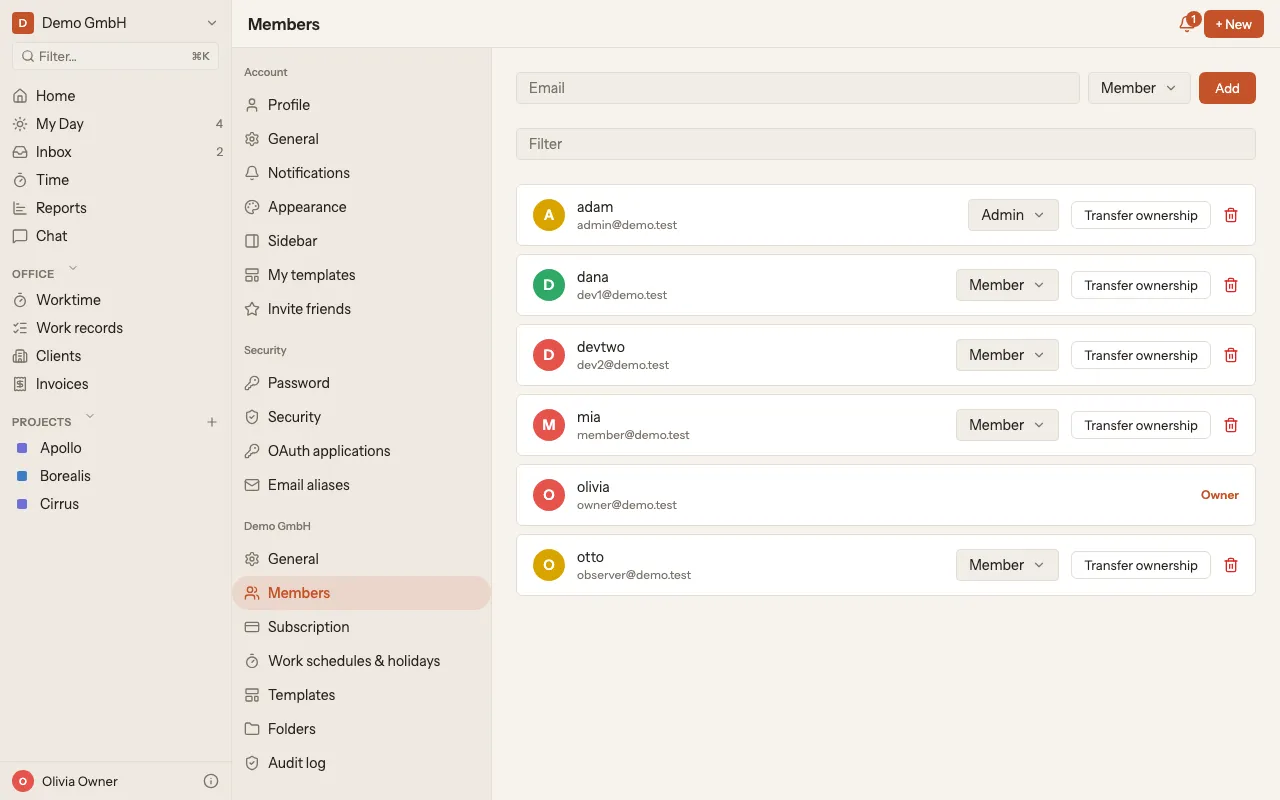
If the person already has a kora account, they become a member right away and get an email. Otherwise they get an invitation by email. Until they accept, they are listed under Pending invitations, where you can Resend or Revoke the invitation.