Set an hourly rate
The hourly rate belongs to a project. kora uses it and the tracked time to work out the invoice. There is no rate for the whole organization: you set it in each project.
Before you start
Section titled “Before you start”- You are an Owner or Admin of the organization, or an Admin of the project.
Rate for the project
Section titled “Rate for the project”- In the project, open Settings (under More if there are many tabs), then Billing.
- Enter the Default hourly rate and pick the Currency.
- Click Save.
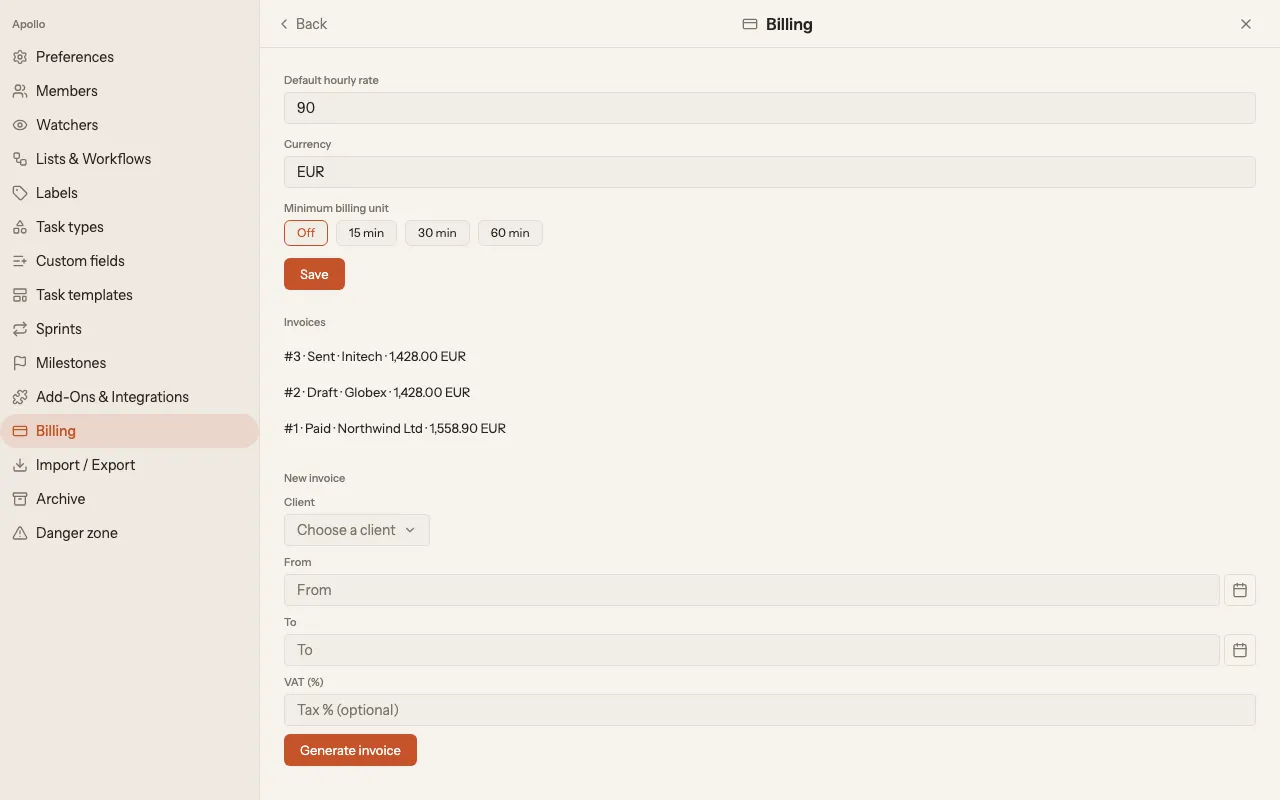
Under Minimum billing unit you can choose how many minutes kora rounds the time up to. Once a unit is set, Rounding decides whether kora rounds Per timer entry or Per line item.
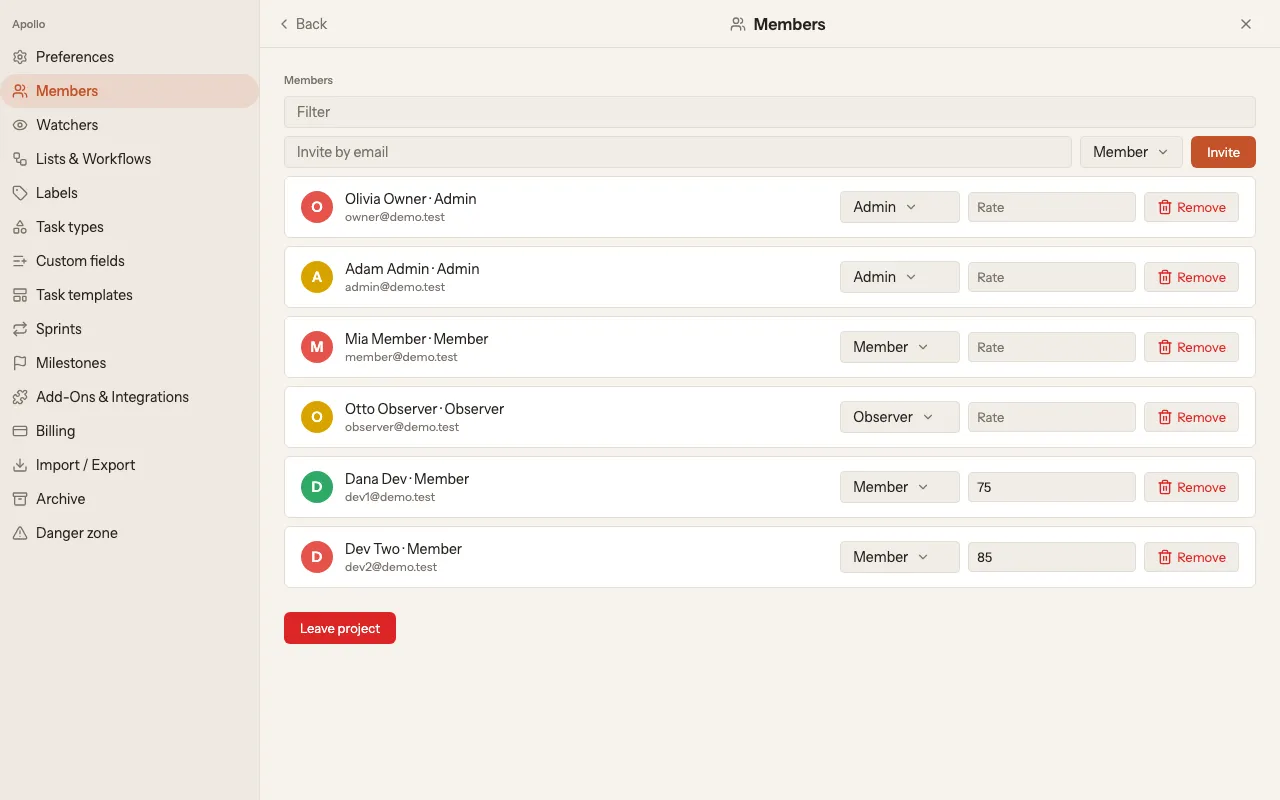
A separate rate for one person
Section titled “A separate rate for one person”If someone works at a different rate, give them their own:
- In the project, open Settings, then Members.
- Next to the person, enter the amount in the Rate field and press Enter.
That person is then billed at their own rate. Everyone else is billed at the project’s default hourly rate.